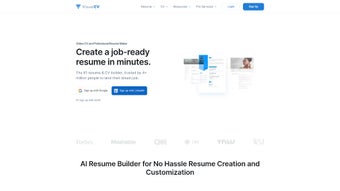

Download VisualCV – Free AI‑Powered Resume Builder & CV Designer
Overview
VisualCV is a cloud‑based platform that empowers job seekers to create, customize, and manage professional CVs and resumes in a matter of minutes. Designed for both newcomers and seasoned professionals, the service combines an extensive library of modern templates with an AI‑driven resume builder that suggests phrasing, layout adjustments, and keyword optimizations tailored to specific industries. Whether you need a quick one‑page resume for a tech startup or a detailed curriculum vitae for an academic role, VisualCV offers a flexible environment that supports import of existing documents, multi‑version tracking, and real‑time analytics on employer engagement.
Users can share their profiles through email, direct links, or social media, and export polished PDFs for offline distribution. For those who prefer expert guidance, VisualCV also provides a premium resume writing service that connects you with certified career consultants. The platform’s blend of design freedom, automation, and performance insights makes it a comprehensive tool for anyone looking to stand out in a competitive job market.
Key Features & Benefits
- AI Resume Builder: Generates content suggestions, keyword matches, and formatting tips based on the job title you enter.
- Template Library: Over 50 professionally designed templates ranging from minimalist to creative, all fully customizable.
- Multi‑Version Management: Create, store, and switch between multiple CV versions for different industries or seniority levels.
- Real‑Time Analytics: Track when recruiters view, download, or share your CV, giving you actionable insight into interest levels.
- One‑Click Sharing: Export to PDF, generate a shareable link, or post directly to LinkedIn, Twitter, and other social channels.
- Import & Export Options: Upload existing Word or PDF files to convert them into editable VisualCV documents.
- Professional Writing Service: Access certified resume writers for a personalized, high‑impact rewrite.
- Mobile Apps: iOS and Android applications let you edit and share your CV on the go.
- Secure Cloud Storage: All documents are encrypted and saved in the cloud, ensuring you never lose a version.
- Integration with Job Boards: Push your CV directly to popular job platforms like Indeed and Glassdoor.
Each feature is built with a focus on speed, security, and usability. The AI engine, for instance, scans millions of job postings to surface the most relevant buzzwords for your target role, helping you pass automated applicant tracking systems (ATS). Meanwhile, the template editor offers drag‑and‑drop sections, font pairing, and color palettes that require no design background. The analytics dashboard presents a clean timeline of views and downloads, allowing you to prioritize follow‑up actions. By combining these capabilities, VisualCV not only reduces the time spent on document creation but also enhances the strategic impact of every application you send.
Installation, Usage & Compatibility
Getting Started – No Installation Required
VisualCV operates entirely in the browser, so you can start building your resume without downloading any software. Simply visit visualcv.com, create a free account using your email or social login, and you’ll be greeted with a dashboard that lists your existing CVs and a “Create New” button. The onboarding wizard guides you through selecting a template, entering basic personal information, and choosing the AI assistance level you prefer.
Step‑by‑Step Usage Guide
- Choose a Template: Browse the template library, preview each design, and click “Use This Template” to load it into the editor.
- Enter Your Details: Fill out sections for contact info, summary, work experience, education, skills, and certifications. The AI builder will suggest bullet points as you type.
- Customize Layout: Drag sections, adjust fonts, colors, and spacing. Use the “Version” tab to clone the current CV for a different job focus.
- Enable Analytics: Turn on “Track Views” to receive notifications when an employer opens your link.
- Export or Share: Click “Export PDF” for a printable version, or generate a short shareable link for online distribution.
- Upgrade (Optional): If you need advanced analytics, unlimited versions, or the professional writing service, select a premium plan from the “Pricing” page.
Operating System Support
VisualCV is fully compatible with modern web browsers on Windows, macOS, Linux, iOS, and Android. The responsive web app adapts to tablet and smartphone screens, and dedicated native apps are available for iOS 14+ and Android 8+. Because all data is stored in the cloud, you can switch between devices without losing any changes.
Security & Updates
The platform follows industry‑standard encryption (HTTPS/TLS) for data in transit and AES‑256 for data at rest. Updates to the AI engine, template library, and security patches are rolled out automatically on the server side, so users always work with the latest features without manual intervention. For organizations with strict compliance requirements, VisualCV offers GDPR‑compliant data handling and the ability to delete all personal data on request.
Pros, Cons & Expert Review
Pros
- AI‑driven content suggestions dramatically reduce writer’s block.
- Extensive template library suitable for every industry.
- Multi‑version management keeps tailored CVs organized.
- Real‑time analytics give insight into recruiter interest.
- Cross‑platform availability (web, iOS, Android).
Cons
- Free tier limits the number of saved versions.
- Premium pricing can be high for occasional users.
- Advanced analytics are only available on paid plans.
- Some templates may require minor manual tweaking for perfect ATS compatibility.
- Internet connection required for editing; offline mode not supported.
Overall Rating: 4.5/5
Frequently Asked Questions
Is VisualCV free to use?
VisualCV offers a robust free plan that includes unlimited PDF exports, basic templates, and AI suggestions. Premium features such as advanced analytics, unlimited CV versions, and the professional writing service require a paid subscription.
Can I import an existing Word or PDF resume?
Yes. VisualCV’s import tool converts Word (.docx) and PDF files into editable CVs, preserving most formatting while allowing you to enhance the content with AI suggestions and new template styles.
How does the AI Resume Builder work?
The AI engine analyzes the job title you input, scans millions of relevant postings, and recommends keywords, bullet‑point phrasing, and skill highlights that improve ATS compatibility and recruiter appeal.
Is my data safe on VisualCV?
All user data is encrypted with TLS during transmission and AES‑256 at rest. VisualCV complies with GDPR and offers a full data‑deletion request option for privacy‑concerned users.
Can I track who has viewed my CV?
Yes. The built‑in analytics dashboard logs each view, download, and share of your CV link, providing timestamps and IP‑based location data (where available). This feature is part of the free plan but offers deeper insights on premium subscriptions.
Conclusion & Call to Action
VisualCV stands out as a versatile, AI‑enhanced solution for anyone serious about presenting a polished, data‑driven resume. Its cloud‑first architecture ensures you can work from any device, while the blend of design flexibility, version control, and employer‑insight tools makes the job‑search process more strategic and less time‑consuming. Whether you’re a recent graduate needing a quick starter CV or a seasoned executive crafting multiple tailored versions, VisualCV provides the features you need to stay competitive.
Ready to transform your job‑search materials? Create a free VisualCV account today, explore the AI resume builder, and start tracking real‑world employer engagement. Upgrade to a premium plan when you need deeper analytics or professional writing assistance—your next interview could be just a click away.



.png)



